
Field app
The job in every tech's pocket.
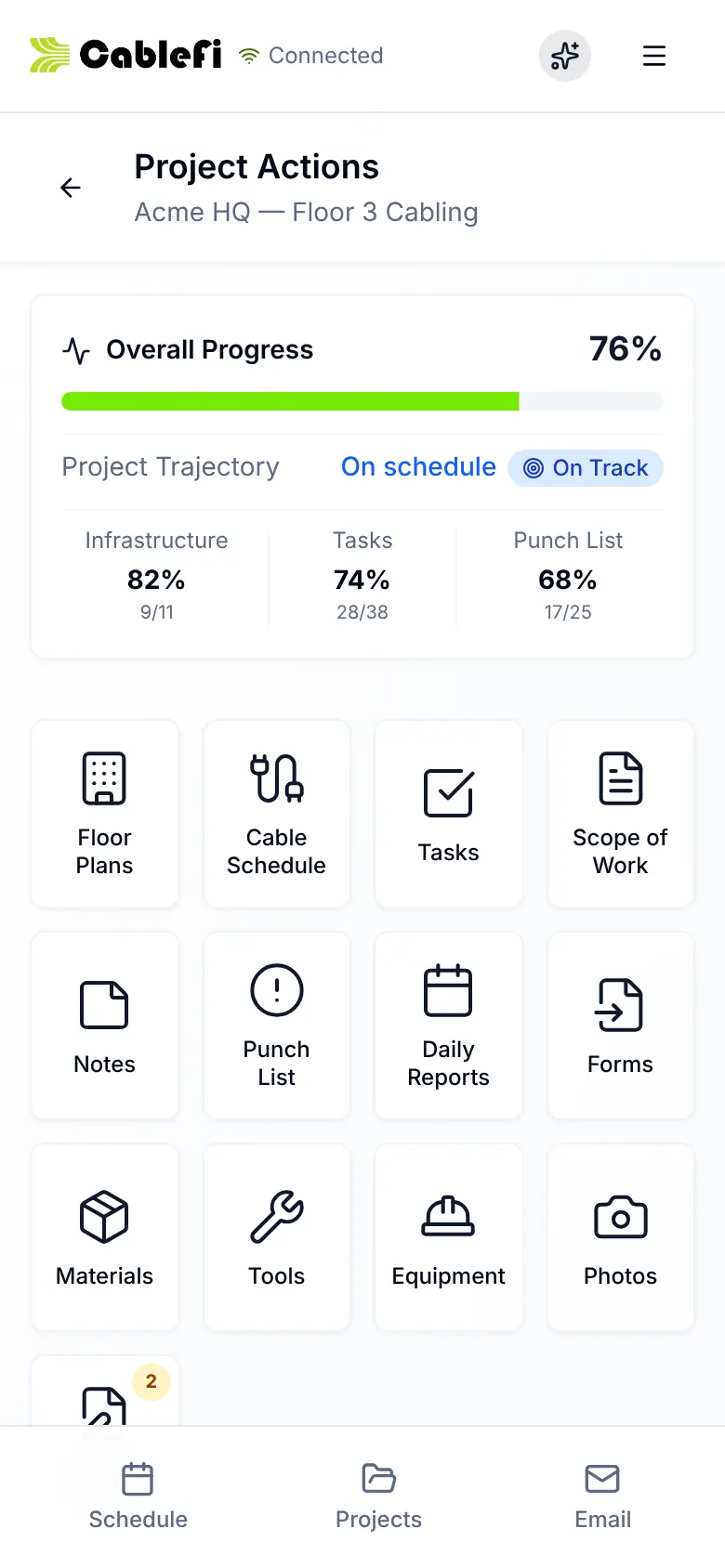
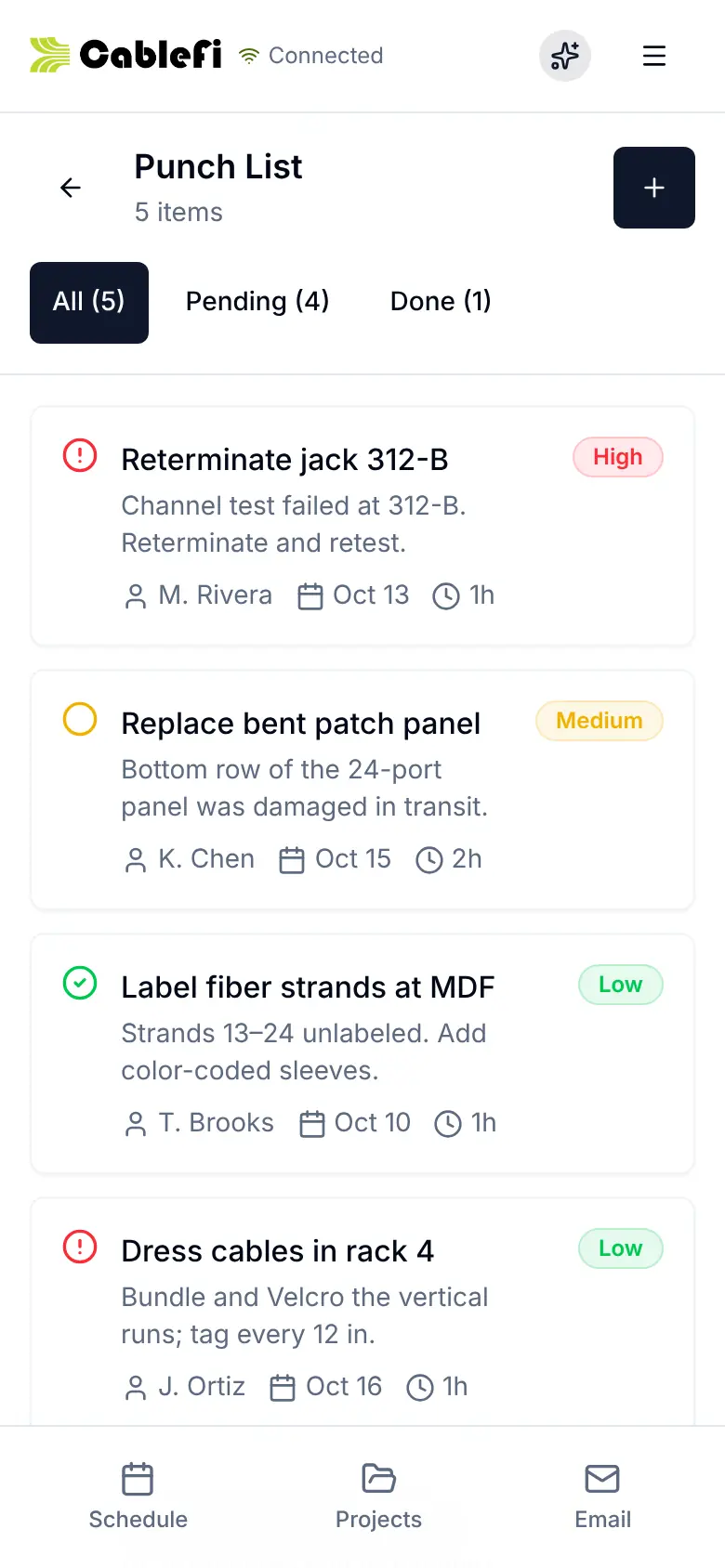
Schedule, plan, cable list, punch list, reports and photos on any phone, and it works offline.
How it works
Work the list, close the punch, report.
Every change a tech makes lands in the office's view of the same job.
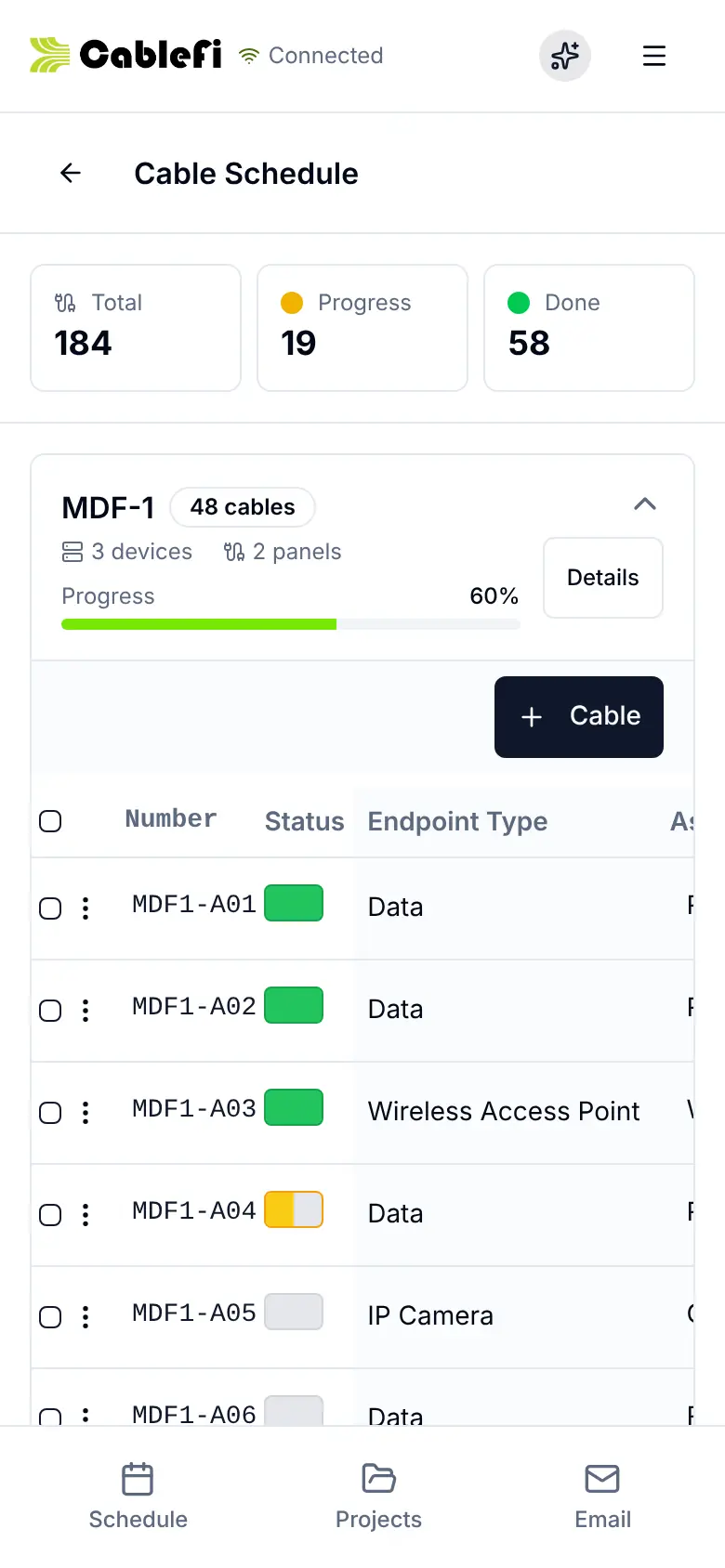
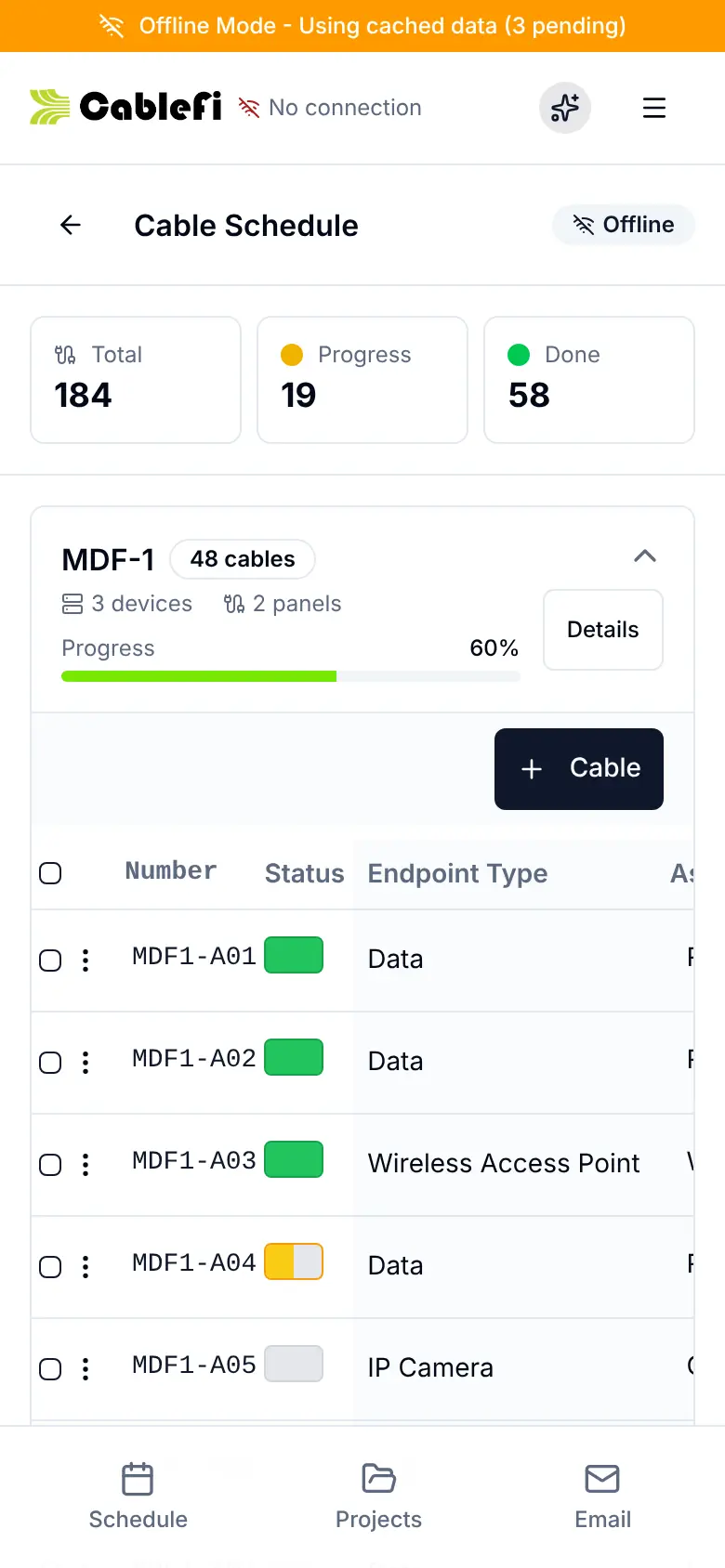
Tap a cable's status where you stand.
Works offline
No bars? Keep working.
Projects, plans and lists open from the phone, and every change waits on it until the signal returns.
- Changes queue on the phone, with a count
- They sync on their own when the signal returns
- The office sees the work as soon as it lands
On the clock
Clock in to the job, not a timesheet.
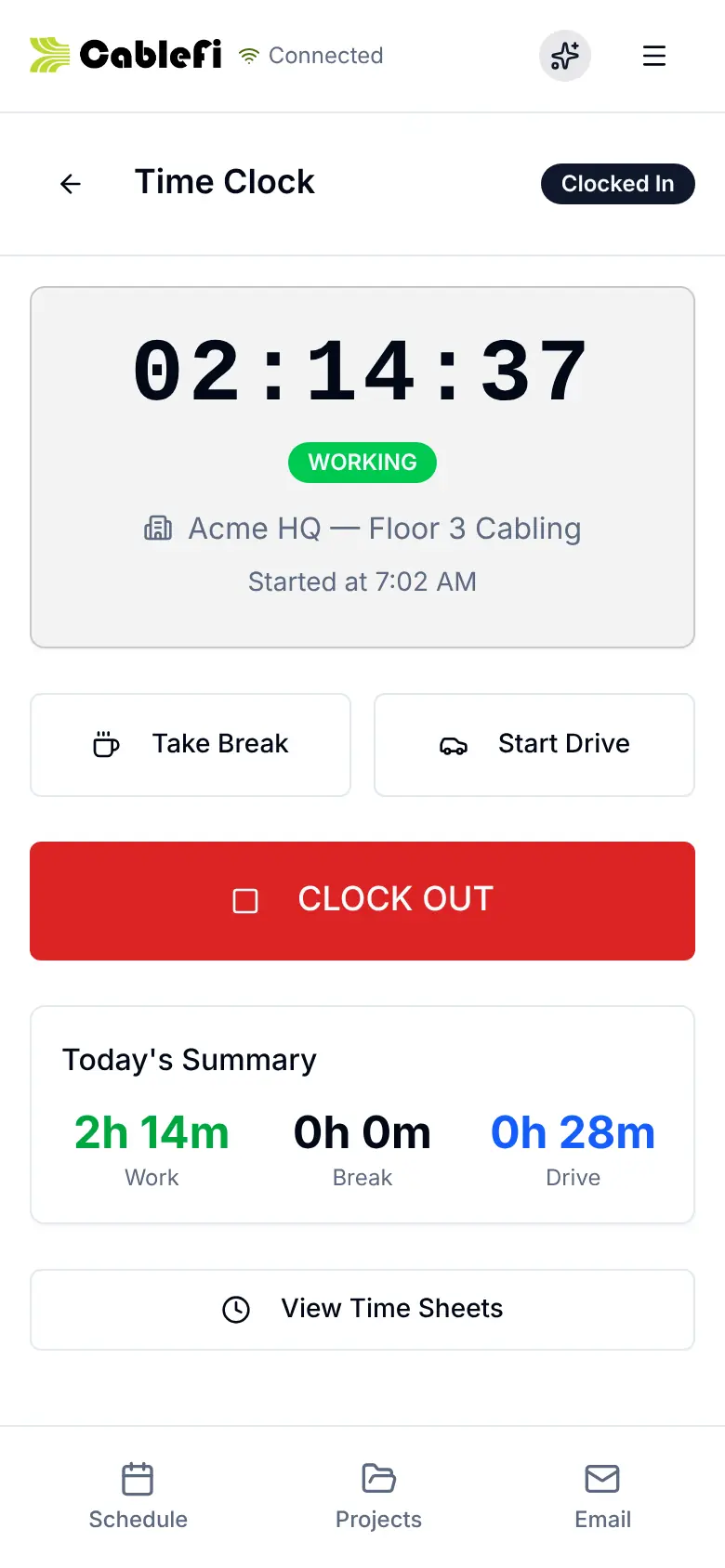
Techs clock in to a job, switch between Work, Break and Driving, and request changes from site.
- A geofence can clock in and out on its own
- Expenses with a photo of the receipt
- Change requests land on the job's change orders
What it saves
Fewer calls to the office.
Techs answer their own questions from the plan, scope and list, and the office sees the work as it happens.
- CommunicationThe plan, scope and cable list answer the tech's questions.
- Time savedNo end-of-day re-entry: the work is logged where it happens.
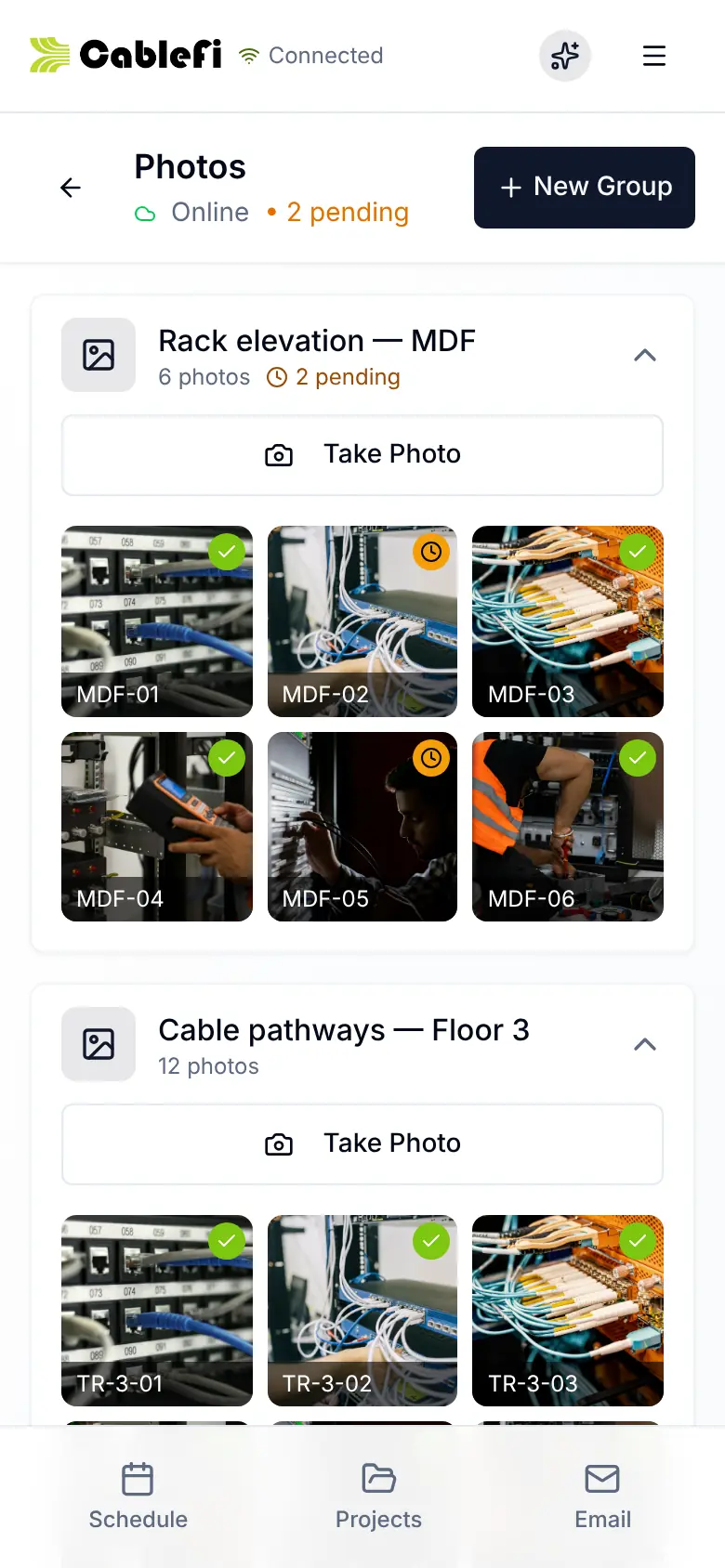
- TrackingEvery cable, punch item and photo lands on the job.
Who it's for
For the techs, the foreman and the PM.
- TechsTheir schedule, the plan and the list, offline included.How offline works
- ForemenThe active plan on site: tap a drop to update it.See PathFinder
- Project managersEvery update from the field on the job's record.See projects
Questions
What owners ask first
Does the field app work offline?
Yes, it works offline. Projects, plans and lists open from the phone with no signal, and every change queues and syncs when the signal comes back. A banner shows the tech how many changes are waiting.
Do my techs need an app store download?
No. The app installs from the browser to the home screen on iPhone and Android, and updates arrive on their own.
How does the time clock work?
Techs clock in to a job or to general time and switch between Work, Break and Driving. A geofence around each job can clock them in or out on its own, or require them on site. Payroll runs on Professional.
What can a tech do on the phone?
Everything for the job from one Project Actions screen: the plan, cable schedule, tasks, scope, notes, punch list, daily reports, forms, materials, tools, equipment, photos and change order requests.
Something else? Ask us
Put the job in every tech's pocket.
Your operation will run 20% more efficient in 12 months or your money back. Applies to the Starter and Professional lifetime licenses. See the terms
30-minute demo · Both guarantees in writing