
Projects
Run every job from one record.
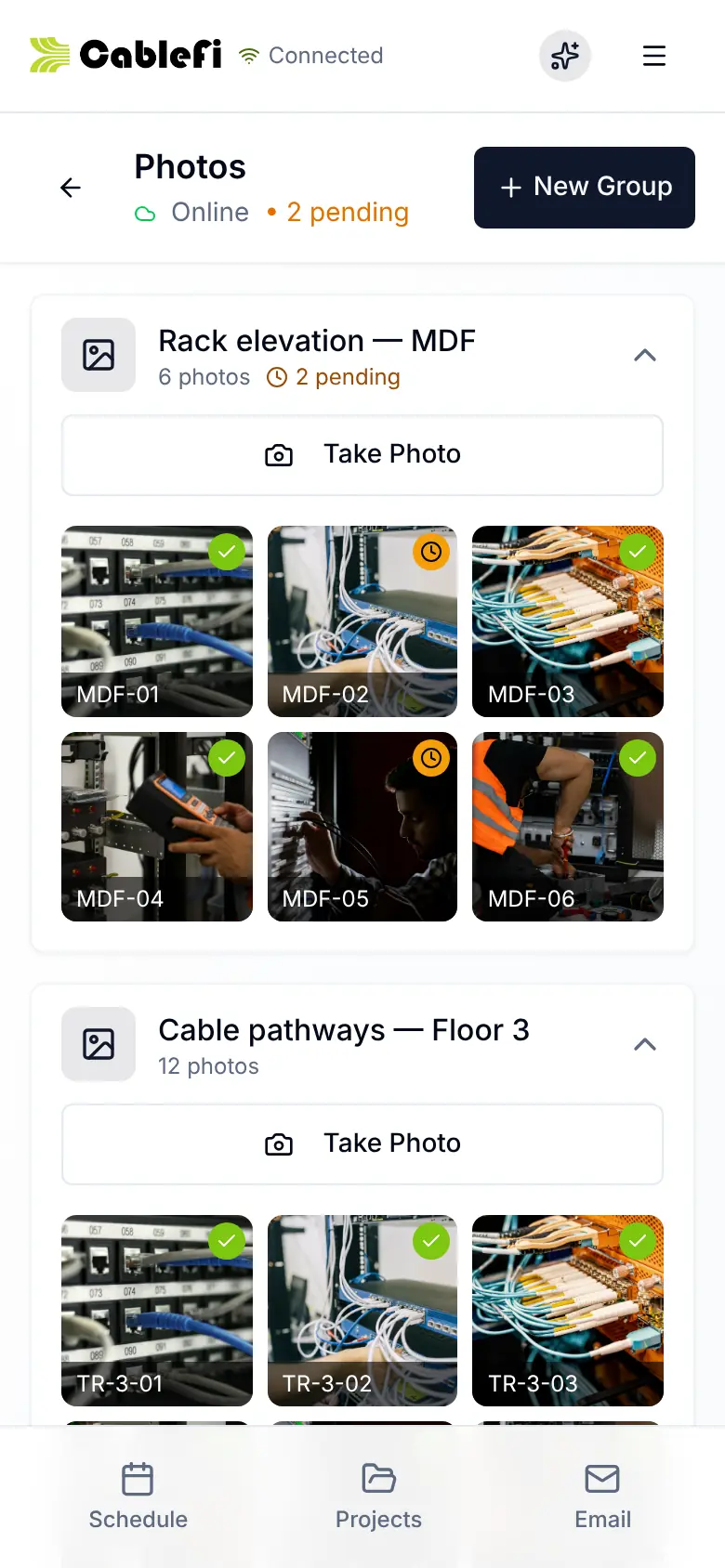
Crews, cables, punch items, change orders and photos on the job's record, updated by the crew as they work.
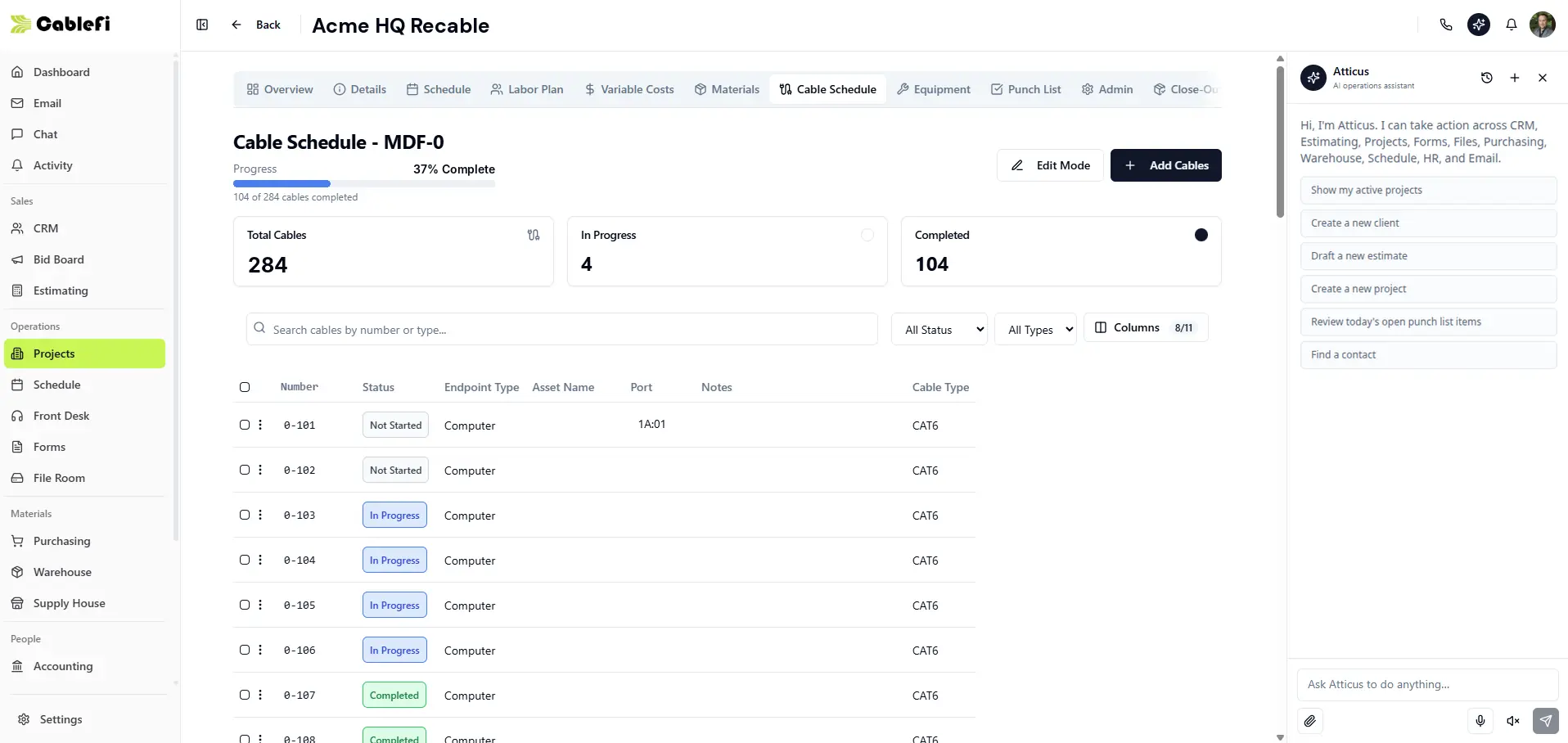
- Status on every cable
- Progress for the room
- Add cables in bulk
What contractors say about CableFi
The cable schedule alone paid for the software. It matches the way we actually label and terminate, not some generic list. Our closeout packages went from a nightmare to a one-click export.
 Priya RamaswamyEstimator, Meridian ICT Contractors
How it works
Plan it, track it, close it out.
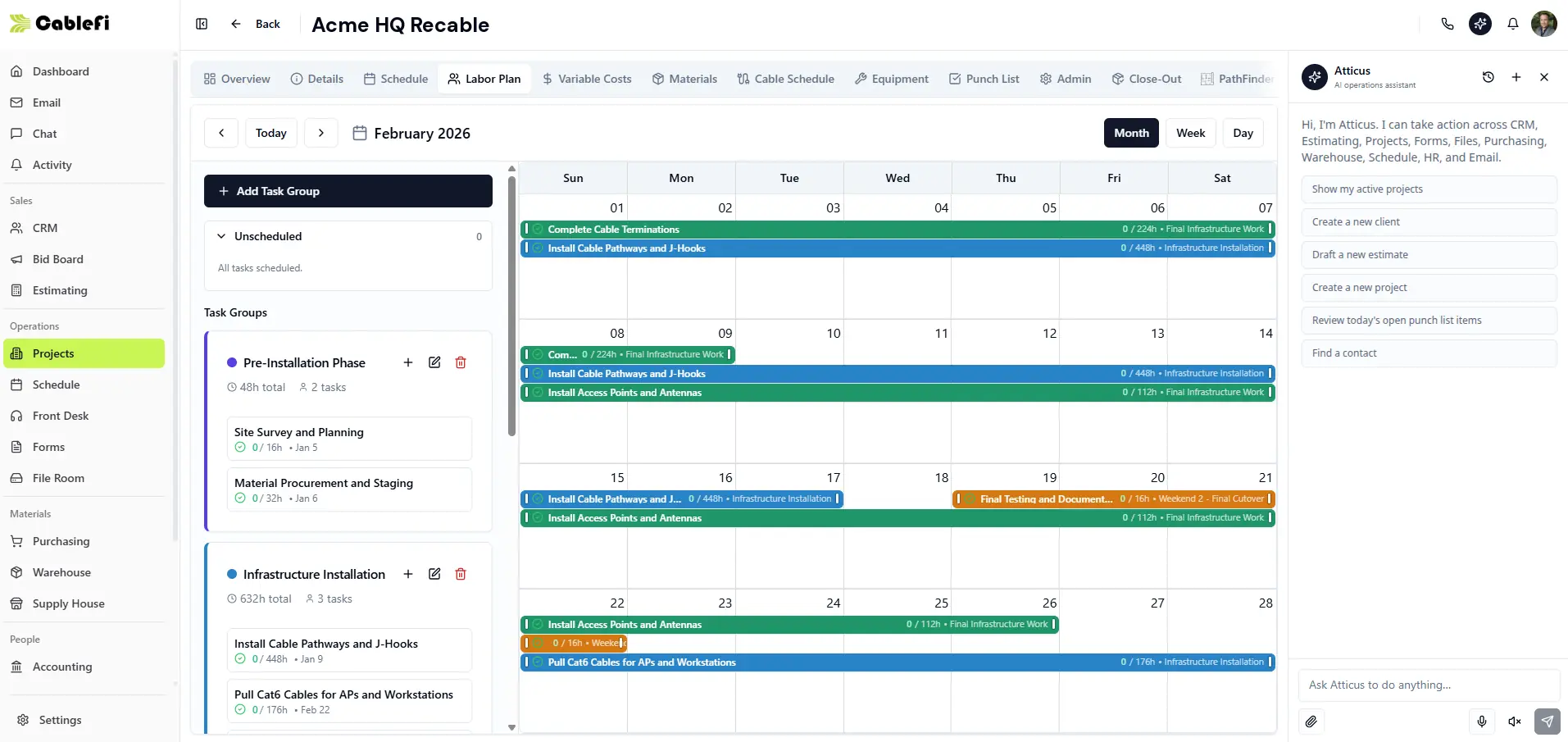
The office plans the crew, the crew updates every cable on site, and the close-out builds from the job.
Task groups and crews on the calendar, with resource conflicts flagged.
PathFinder
The job lives on the plan.
Every drop, pathway and rack is a real object tied to the cable schedule and the field app.
What it saves
Fewer status meetings, fewer phone calls.
Progress, what is late and what is left sit on one screen the crew updates as they work.
- CommunicationStatus lives on the record, not in a phone call.
- TrackingProgress per room and per job, ahead or behind.
- Time savedThe close-out package builds from the job, not from scratch.
Who it's for
For the PM, the foreman and the office.
- Project managersPlan crews and see progress without a call.See PathFinder
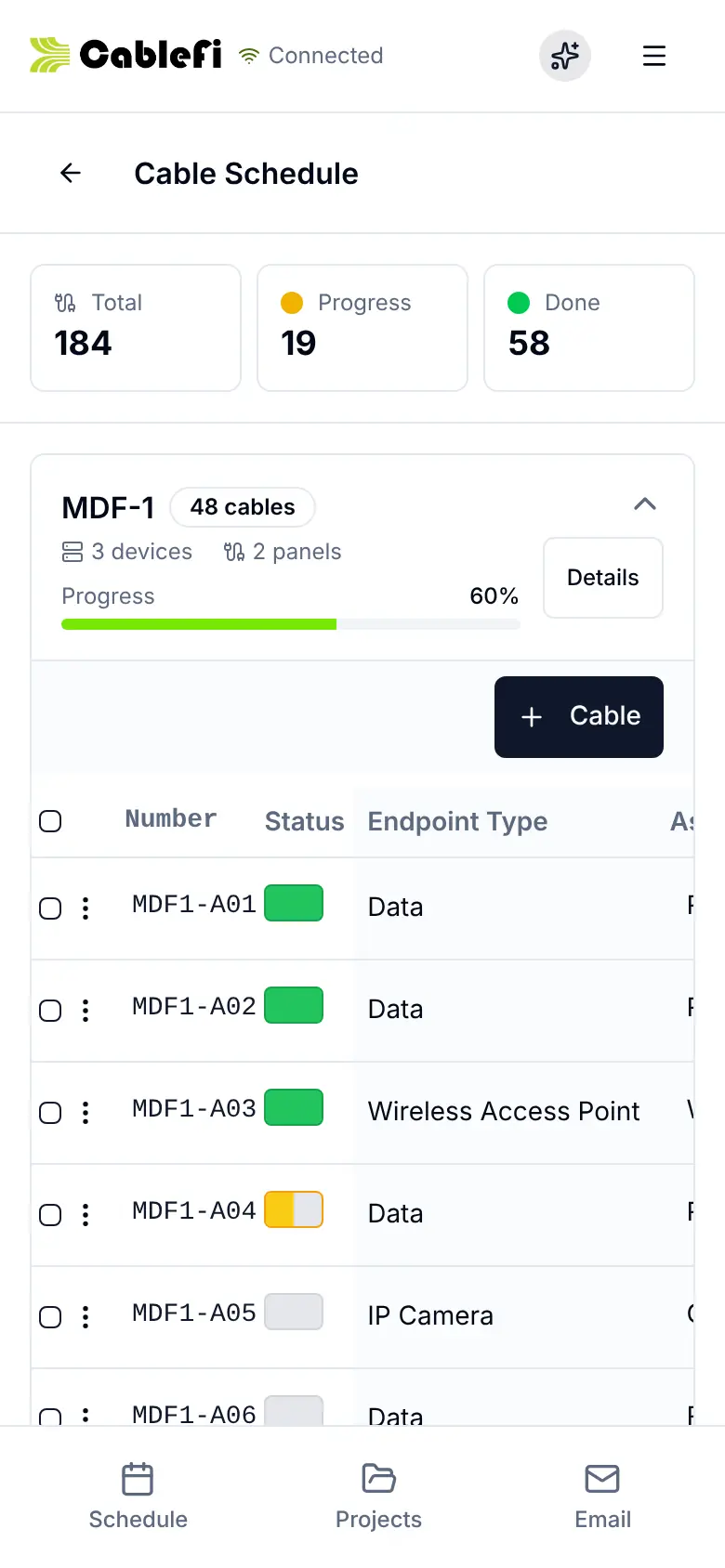
- Foremen and techsWork the cable list and punch list on the phone.See the field app
- The officeOrder material and bill the job from the same record.See operations
Questions
What owners ask first
What does a project hold?
The won job in one record: overview, schedule, labor plan, budget, materials, cable schedule, equipment, punch list, close-out and PathFinder, plus change orders, daily reports, photos and invoices. It starts from the estimate, so materials, plans and tasks carry over.
Does the cable schedule follow our labeling?
Yes. Each MDF or IDF takes its own numbering schema, and every cable carries its number, endpoint, cable type, patch panel port and status. Techs change the status on the phone, and the list exports to XLSX or CSV at close-out.
Can customers see progress and approve change orders?
Yes, in the customer portal, and portal accounts are free. Customers see what you share (the project plan, cable schedule, floor plans, close-out, change orders and invoices) and approve, reject or send back a change order there.
What goes in the close-out package?
A four-step wizard builds it: the cable schedule with the columns you pick, photos, an as-built floor-plan PDF at your paper size, then a review. You submit it to the customer from CableFi.
Something else? Ask us
Run your next job in CableFi.
Your operation will run 20% more efficient in 12 months or your money back. Applies to the Starter and Professional lifetime licenses. See the terms
30-minute demo · Both guarantees in writing