
PathFinder
Your plans, made interactive.
Upload the plan set, set the scale once, and every drop, pathway and rack becomes a real object tied to the estimate.
What contractors say about CableFi
PathFinder finally gave our PMs and foremen the same picture. Every cable, every drop, every change — right on the floor plan. Our RFIs dropped by half in the first quarter.
 Jenna WhitfieldPresident, Cascade Low Voltage Systems
Interactive plans
Upload once. Scale once. Work on it.
Like Bluebeam, but every mark on the sheet is live data for the estimate, the cable schedule and the crew.
- PDF, image, DWG or DXF; a plan set becomes sheets with revisions
- One line over a known dimension, and every tool works to scale
- A poor scan? Enhance with AI, and you review it first
Takeoff
Count it by hand or let AI.
Everything you place is counted, and AI takeoff finds the symbols for you to review.
By hand
- Every placed device counted, per type and per floor
- Measure lengths at the sheet's scale
- Assemblies kit the parts for each drop
With AI
- Capture: box one clear example of each symbol
- Legend: it reads the plan's legend; tick what is in scope
- Description: describe the symbol in plain words
You review every finding, then place the accepted ones. Captured symbols save to your library for the next building.
Numbered drops
Every drop numbered, your way.
Pick the endpoint from 92 types in 11 groups, and the server numbers it to your schema, filling gaps first.
- Schemas like IDF1-A01, IDF1001 or 1:A-B01
- Sequential labels: X1 to X4 cables per drop, previewed
- Move a drop to another room; it relabels with a preview
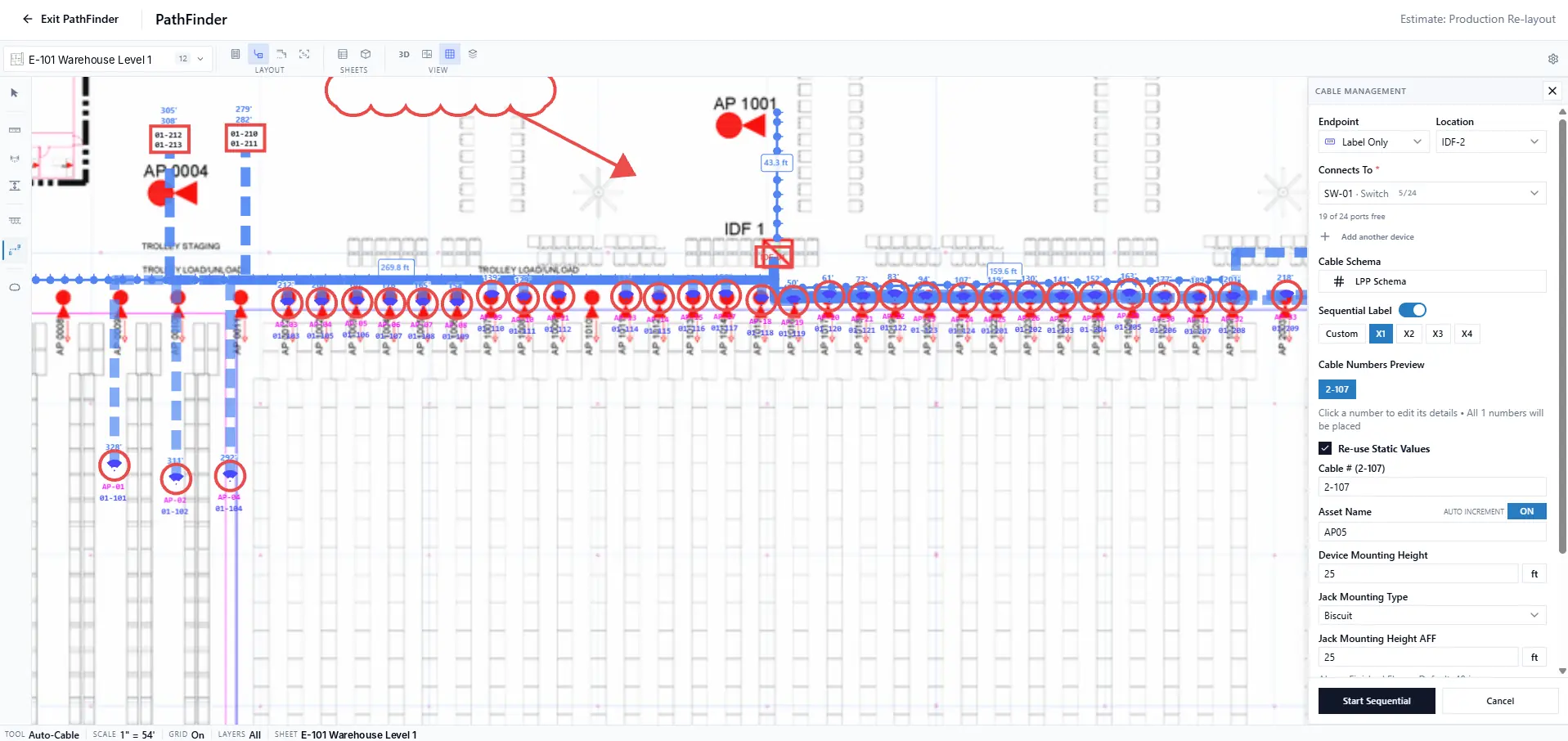
- Every drop numbered on the plan
- Your numbering schema (LPP)
- Sequential labels, X1 to X4
Bill of materials
The BOM fills in as you place.
One purchase list from everything on the plans, by floor, ready for a CSV or the estimate.
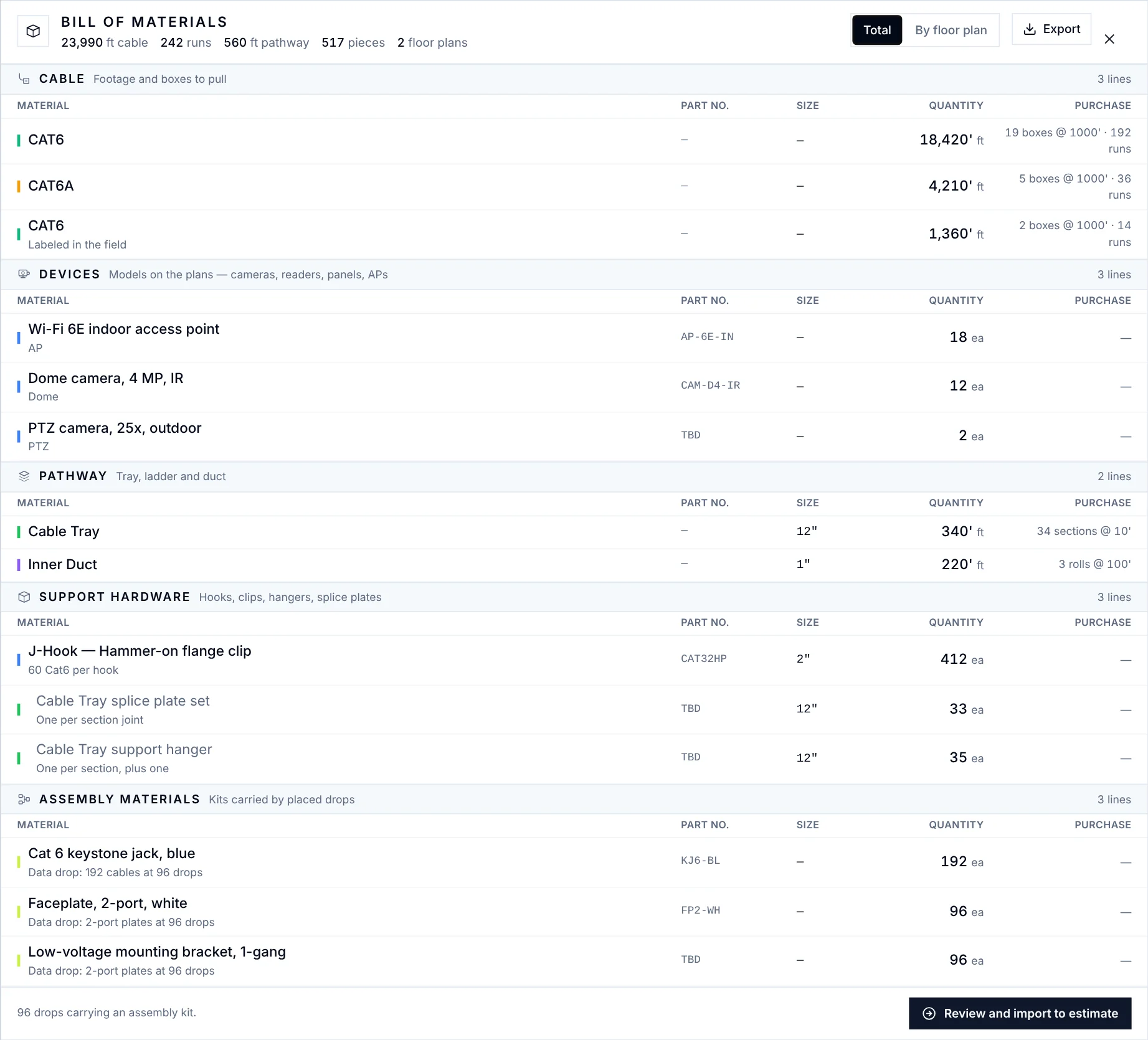
Auto-Cable
ProfessionalFootage measured, not guessed: each drop routes along your pathways to its rack, with the vertical and a service loop, and runs past the cable's reach are flagged.
Rack elevations and markup
Draw the racks. Mark up the plan.
Rack elevations, red-lines, coverage and schedules come from the same records as the drops.
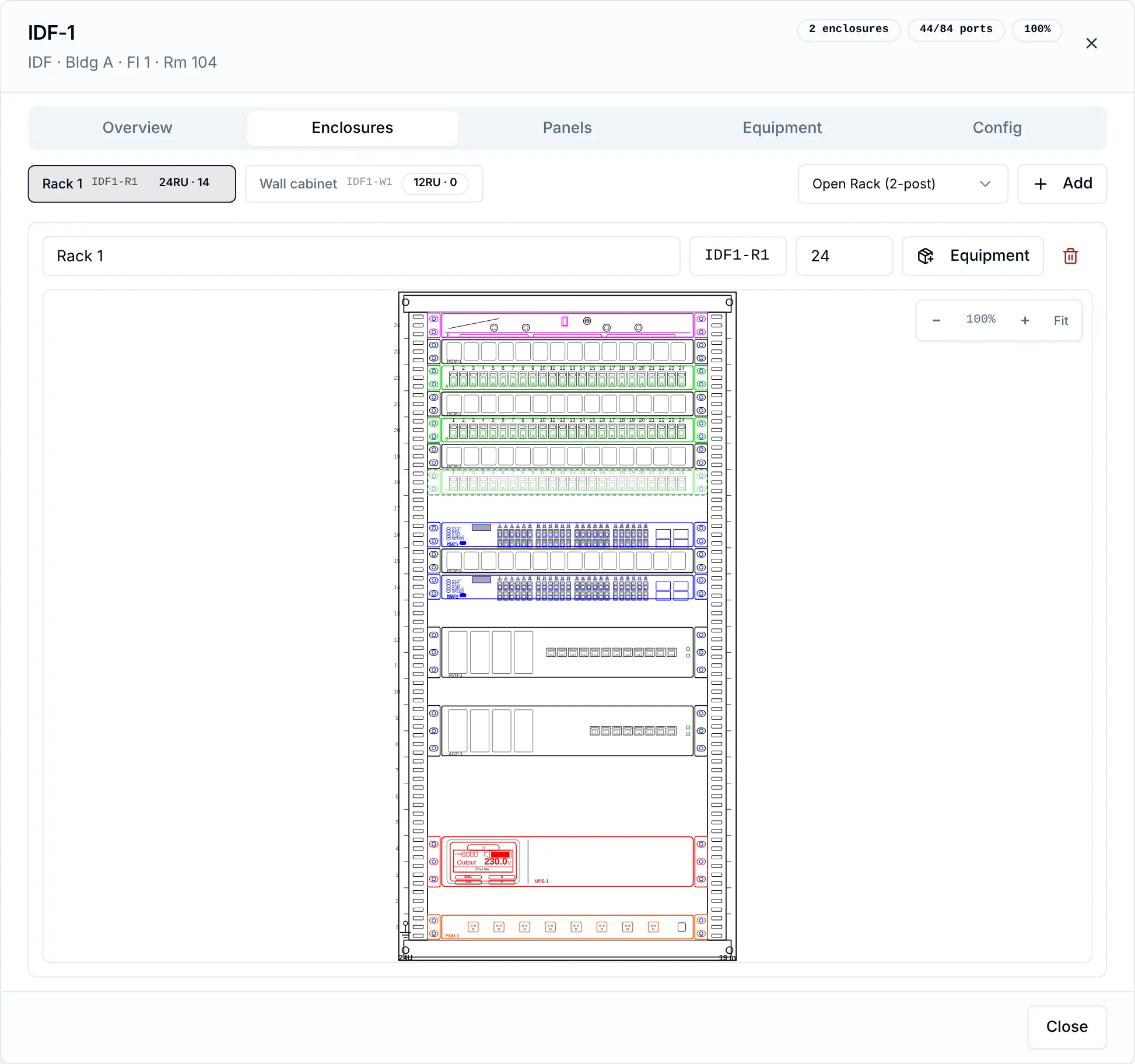
Rack elevations
- A front-of-rack sheet per room, U1 at the bottom
- Drag gear from the palette, or auto-place it
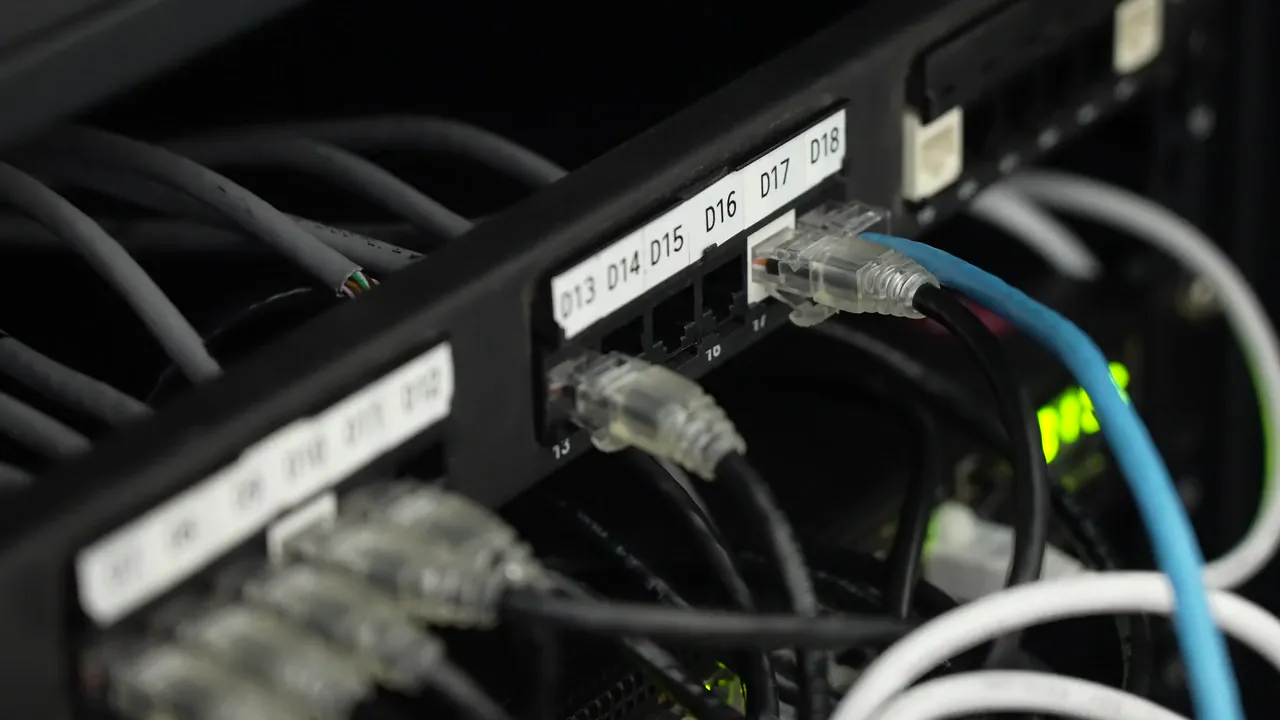
- Techs open it from the cable schedule on site
Markup and design
- Revision clouds with leaders that stay put at any zoom
- Camera and PIR coverage drawn to scale, in DORI bands
- Door, fire device, fire panel and camera schedules
- A 3D view of walls, pathways, cables and racks
What it saves
Count once. Everyone reads the same numbers.
The drop you place is the line on the BOM, the row on the cable schedule and the dot the tech taps on site.
- Time savedNo counting, measuring or retyping the takeoff.
- CohesionEstimator, office and crew read the same numbers.
- TrackingQuantities follow the plan live as drops move.
Who it's for
For estimators, designers, PMs and the field.
- EstimatorsTakeoff and BOM straight into the bid.See estimating
- Designers and PMsNumbering, racks and schedules on one plan.See projects
- Foremen and techsThe active plan on the phone: tap a drop to update it.See the field app
On the trades you run:
Questions
What owners ask first
Which plan files can I use?
PDF, PNG, JPG, TIFF, BMP, SVG, DWG or DXF. PDFs and CAD files are converted on upload, a plan set becomes sheets you pick by sight, and every sheet keeps its revisions.
Does PathFinder replace Bluebeam?
For low-voltage plans, yes: revision clouds, measure, layers and the grid are there, and every drop, pathway and rack is a real object tied to the estimate, the bill of materials, the cable schedule and the field app.
How accurate is the AI takeoff?
You check every finding. Accept or reject one or all, drag a box to correct it, then place the accepted ones. Re-runs keep the work you accepted, and the symbols you capture are saved to your library for the next building.
What is on Starter and what is on Professional?
Everything in PathFinder is on Starter except Auto-Cable. Auto-Cable, which routes every drop along your pathways to its rack and measures the footage, is on Professional.
Something else? Ask us
See your own plans in PathFinder.
Your operation will run 20% more efficient in 12 months or your money back. Applies to the Starter and Professional lifetime licenses. See the terms
30-minute demo · Both guarantees in writing